Details matter.
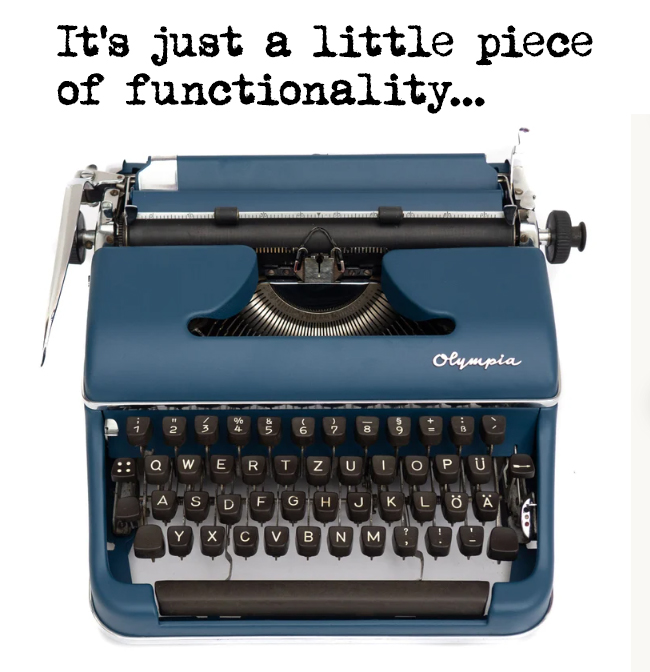
You want to know how old I am? I’m manual typewriter old. I learned how to type (or more accurately, how to ‘hunt and peck’) on a model very similar to the one pictured. It taught me a lot of things:
- Don’t press two keys at once. Doing so results in a violent key collision that messes everything up.
- Listening matters. You can tell by how the key sounded when it hit the paper if you had hit it hard enough. “Whiffing” on a key press meant your typed document looked more like a ransom note than something professional.
- Planning ahead is important. When I started, Michael Nesmith’s (of Monkees fame) mom had not invented liquid paper yet.
Then, along came the computerized word processor. What do you mean, you can make changes before you print it? I don’t have to re-type the whole thing? And I can save it and print it later? Holy snikies!
But for me, given my typing skills (or lack thereof), one of the best features of using a computer is how the backspace key works. On a typewriter, pressing the backspace key moves the physical carriage back one character. But whatever character you had inadvertently typed was still there on the page, smiling smugly to itself, confident that it wasn’t going away easily. Your usual method of getting rid of it was to backspace, then violently hit the correct key, backspace again, repeat, repeat, repeat until you had an inky blob on the spot where the bad character had been that generally looked like the right character.
Generally.
Usually it just turned into an inky blob, and you had to hope the reader could guess the correct letter. Not a very satisfactory system.
But on a computer, when you press the backspace key, not only does the cursor back up, but it erases the bad character as it moves. Queue the angel chior.
If you don’t think that’s a big deal, I invite you to try typing on an actual typewriter. Given that those are in short supply, here’s an online typing simulator. Give it a try and see how long you last. I’ll set the over/under at 2 paragraphs.
Moral to the story? Very small functionality features can have oversized impact on user experience. Sometimes developers forget that, and the UX people that are supposed to understand that stuff got laid off in the last round of AI-inspired cuts.
Sorry, a little snark snuck out there. Actually, not sorry.
Anyway, watch the small things. They matter.

